


Spend 700 dollars on a laptop in 2026 and you are not buying a fast computer. You are buying enough computer, plus a list of compromises the seller would rather you did not read closely. The whole skill here is reading that list. A 15.6-inch display you barely notice and 8GB of RAM you will occasionally feel are fine trades. A spinning fan of marketing words around storage is not, because the gap between a real SSD and the eMMC chip in the cheapest machines is the difference between a laptop that stays usable for four years and one that feels slow inside of one. Reading that list of compromises closely, and refusing the eMMC trap in particular, is the test every machine clears before TrueAction will put it on this list.
Cheapest usable Windows laptop: the Acer Aspire Go 15, around 429 to 499 dollars, with 16GB of RAM and a 512GB SSD at a price where rivals still ship 128GB. Best all-round Windows under 700: the Lenovo IdeaPad Slim 5, just over 600 dollars, a Ryzen chip and a proper IPS screen in a metal shell. Budget gaming or heavy apps: the HP Victus 15 with an RTX 4050, roughly 600 to 700 dollars on sale. Cheapest good Chromebook: the Acer Chromebook Plus 514 from around 249 to 449 dollars. Best Chromebook overall, top of budget: the Lenovo Chromebook Plus 14 with an OLED screen, around 649 to 749 dollars.
What you can cut at this price
Three things give without hurting you much. RAM at 8GB is the headline one. It is not generous, but for browsing, office work, video, and a sane number of tabs it holds up, and ChromeOS in particular runs comfortably on it. Step to 16GB if the price is close, because it is the cheapest future-proofing you can buy, but 8GB is a real floor rather than a deal-breaker. The trap is 4GB, which struggles the day you unbox it.
The screen is the second. At 700 dollars you are getting a 1080p IPS or WUXGA panel rated around 250 to 300 nits, and that is fine indoors. You will not get OLED contrast or 400-nit brightness for outdoor use unless you spend up, and the one Chromebook here that does carry OLED sits at the very top of the budget. Color accuracy will be ordinary. None of that stops the machine doing its job.
Build and chassis is the third. Plastic lids flex, hinges are merely adequate, and the speakers are thin. A metal IdeaPad shell is nice to have, not need to have. Accept the plastic, skip the gimmicks, and put the saved money where it counts.
What is non-negotiable
Storage type is the line you do not cross. A real SSD, ideally NVMe, reads and writes random data many times faster than the eMMC flash soldered into the cheapest laptops, and random speed is what makes a machine feel quick when it boots, opens apps, and applies updates. eMMC tends to run around 150 to 400 MB/s sequential and far worse on the small scattered reads that matter, while a budget NVMe SSD clears 1,500 MB/s and up. On a Windows laptop that does constant background writing, eMMC is the single change that turns a cheap machine slow inside a year. Read the spec line, not the marketing word: storage means nothing, SSD or NVMe means something.
Capacity is the second hard line. 256GB minimum on Windows, 128GB only on a Chromebook that lives in the cloud. Windows 11 plus its updates and a few apps eats well past 64GB, so a 128GB Windows laptop is full before you start. The good news in 2026 is that the floor moved up: machines like the Aspire Go now ship 512GB at the bottom of the range, so there is little reason to accept less.
The third is less a spec than a clock. On a Chromebook, check the update window. Google now gives ChromeOS devices 10 years of automatic updates from the platform's release date, but that clock starts at the chipset's launch, not your purchase, so a Chromebook built on an old platform can have years already burned off. Buy a current Chromebook Plus model and you get most of that decade. Buy a clearance unit on a 2019 board and you may be near the end.
- SSD, not eMMC. The spec line should say SSD or NVMe. If it just says storage or eMMC, walk.
- 256GB on Windows, 128GB minimum on ChromeOS. Windows updates alone will fill a 128GB drive.
- 8GB RAM floor, 16GB if close. 4GB is unusable on Windows in 2026 and tight even on ChromeOS.
- Check the Chromebook update date. The 10-year clock starts at platform launch, not at your purchase.
The Windows picks
Cheapest usable Windows laptop
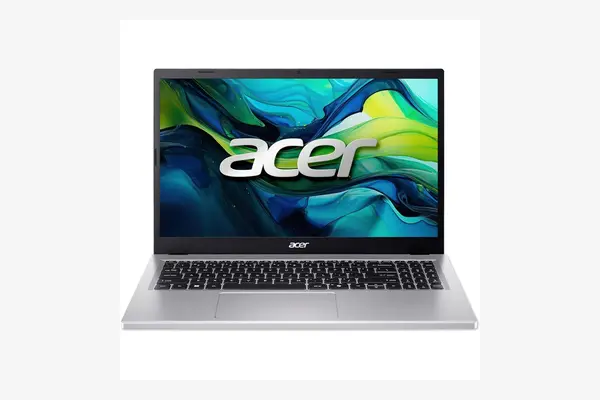
Acer Aspire Go 15 (AG15-32P)
around 429 to 499 dollars as of April 2026, often near 429 on sale
This is the spec sheet that broke the old budget pattern. Where last year's sub-500 dollar Acer shipped 8GB of RAM and a cramped 128GB drive, the current Aspire Go 15 pairs 16GB of DDR5 with a 512GB SSD and a 15.6-inch 1080p IPS panel. That combination, at this price, is the reason it leads. The honest tradeoff is the chip. Intel's Core 3 N355 is an N-series part built for cost, not speed, so independent benchmarks put it well behind any laptop with a mainstream Core or Ryzen processor. For browsing, documents, video, and light multitasking it is fine. Ask it to edit photos or juggle heavy apps and it shows the seams. Buy it for the storage and memory, not the silicon.
Best all-round Windows under 700
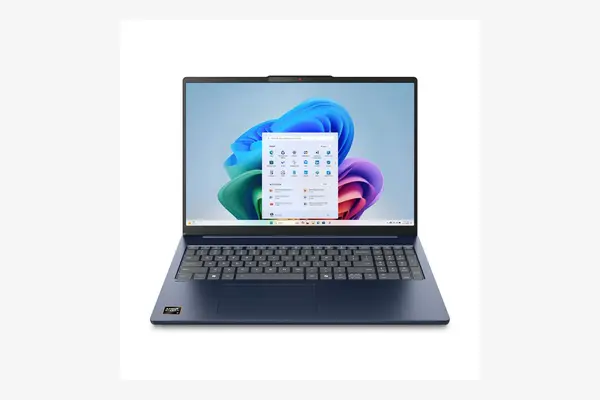
Lenovo IdeaPad Slim 5 (15 / 16-inch AMD)
around 600 to 680 dollars as of April 2026; confirm the exact configuration
Spend up to the top of the budget and this is where the money goes furthest for everyday work. A Ryzen 7 chip, 16GB of RAM, a 512GB SSD, and a matte IPS display with full sRGB coverage in an aluminum shell, for just over 600 dollars in independent reviews. The Ryzen part is a real generational step over the N-series Acer, so this is the one that stays responsive under a heavy tab load and light creative work. The catch is that the lineup is a maze: there are 15 and 16-inch versions, IPS and OLED options, and several CPU tiers under the same Slim 5 name. Check the exact model number before you buy, because the cheapest listing may not be the configuration you read about.
Budget gaming or heavy apps
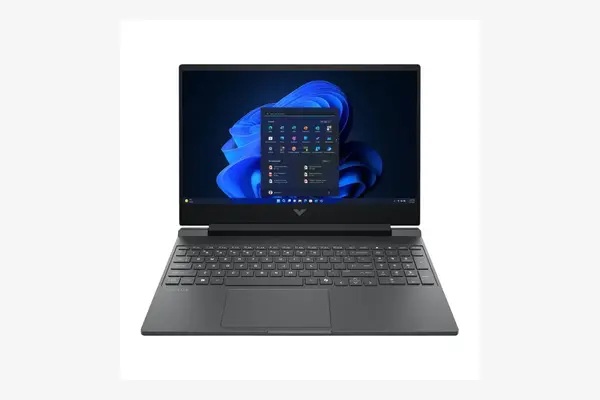
HP Victus 15
around 600 to 700 dollars on sale as of April 2026, list price higher
If you need a real graphics card, this is the only honest way to get one near this budget. The Victus 15 pairs a Ryzen 5 8645HS with an Nvidia RTX 4050 and a 144Hz 1080p screen, and it has dropped to roughly 600 to 650 dollars in sales this year against a higher list price. That GPU handles 1080p gaming on medium to high settings and accelerates video and creative apps that a Core or N-series chip cannot. The tradeoffs are exactly what you expect from budget gaming: it is thick and heavy, the fans get loud under load, and battery life away from the wall is short. It is a desk machine that travels occasionally, not an all-day ultraportable.
The Chromebook picks
ChromeOS earns its place at the bottom of the budget because it asks less of the hardware. A modest chip and 8GB of RAM that would feel tight on Windows runs smoothly here, the software stays patched for up to a decade, and there is no eMMC-rots-Windows problem because the system writes far less. The two picks below sit at opposite ends of the Chromebook range.
Cheapest good Chromebook
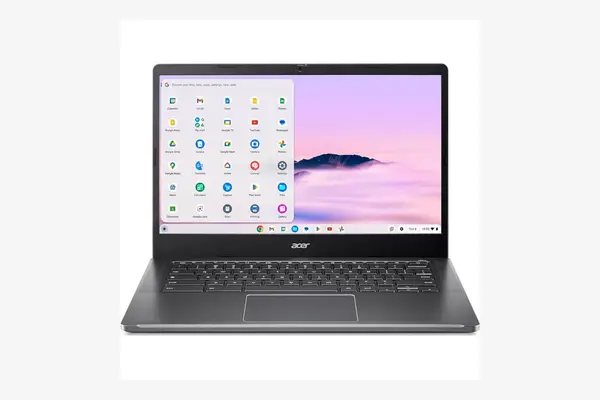
Acer Chromebook Plus 514
around 249 to 449 dollars as of April 2026 depending on configuration and sales
Chromebook Plus is Google's quality bar, requiring at least 8GB of RAM, 128GB of storage, and a 1080p screen, and this Acer hits it for the least money. Configurations pair an Intel Core i3-N305 or an AMD Ryzen 3 7320C with 8GB of RAM, a real SSD rather than eMMC, and a 14-inch WUXGA touchscreen, with list prices around 349 to 449 dollars and frequent dips toward 249. Battery life lands in the 10-hour range and the platform carries years of updates ahead of it. The limits are honest: the N-series and entry Ryzen chips are basic, so this is a web, document, and streaming machine, not a heavy multitasker. For a student or a second laptop, it is the value pick.
Best Chromebook overall (top of budget)
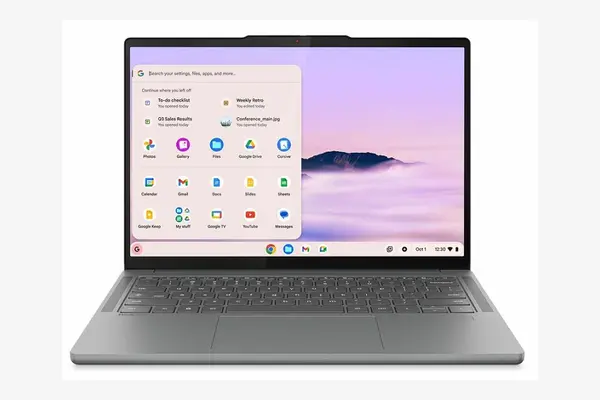
Lenovo Chromebook Plus 14
around 649 to 749 dollars as of April 2026; entry config near 649
This is the Chromebook that reviewers across PCWorld, Tom's Guide and Notebookcheck rate as the current best, and it sits right at the ceiling of a budget brief. It runs MediaTek's Arm-based Kompanio Ultra 910 with a 50-TOPS NPU, 16GB of RAM, and a 14-inch 2K OLED touchscreen rated near 400 nits, which is genuinely better than anything else here. Battery life is the standout: a quoted 17 hours, with independent testing landing past 13 in real use and over 15 on a Wi-Fi web loop. The catch is storage. The popular configuration carries 256GB of UFS rather than a large SSD, which is plenty for a cloud-first device but not roomy, and the Arm chip means a rare app may not run. For most people who live in a browser, it is the nicest laptop on this list by a clear margin.
The five, compared
| Laptop | Best for | RAM | Storage | Screen | Price (Apr 2026) |
|---|---|---|---|---|---|
| Acer Aspire Go 15 | Cheapest usable Windows | 16GB | 512GB SSD | 15.6" FHD IPS | ~$429-499 |
| Lenovo IdeaPad Slim 5 | All-round Windows | 16GB | 512GB NVMe | 15-16" IPS | ~$600-680 |
| HP Victus 15 | Budget gaming | 16GB | 512GB+ SSD | 15.6" 144Hz | ~$600-700 |
| Acer Chromebook Plus 514 | Cheapest good Chromebook | 8GB | 256GB+ SSD | 14" WUXGA touch | ~$249-449 |
| Lenovo Chromebook Plus 14 | Best Chromebook overall | 16GB | 256GB UFS | 14" 2K OLED | ~$649-749 |
Storage type is the line you do not cross. The spec word storage means nothing; SSD or NVMe means something.
Frequently asked questions
For most people, yes. Browsing, office work, video, and a reasonable number of tabs run fine on 8GB, and ChromeOS is especially comfortable there. Step up to 16GB if the price difference is small, since it is cheap insurance for keeping the machine usable longer. The real floor to avoid is 4GB, which struggles from the first day on Windows and feels tight even on a Chromebook.
Because it is the spec that decides whether the machine still feels quick in a year. eMMC is slow soldered flash, roughly 150 to 400 MB/s sequential and far worse on the small scattered reads that make a computer feel responsive. A real SSD, even a budget NVMe one, is several times faster and much better at that random work. Windows writes constantly in the background, so on eMMC a cheap Windows laptop bogs down fast. Read the spec line: storage means nothing, SSD or NVMe means something.
It comes down to what you run. If your day is the browser, email, documents, and streaming, a Chromebook gives you a smoother experience for the money, longer battery, and up to a decade of updates, and it sidesteps the slow-eMMC problem because it writes far less. Choose Windows if you need a specific desktop program, do any gaming, or want to install software that does not exist as a web app. Below about 500 dollars, a good Chromebook usually feels faster than a Windows laptop at the same price.
Google gives ChromeOS devices 10 years of automatic updates, but the clock starts at the chipset platform's release date, not the day you buy. A current Chromebook Plus model on a recent platform gives you most of that decade. A clearance unit built on an older board may have several years already gone, so check the auto update expiration date for the specific model before buying. Both Chromebooks above are recent platforms with most of their support window ahead of them.
Negotiate on RAM, screen, and chassis. Never negotiate on storage. Confirm the spec line says SSD or NVMe, get 256GB on Windows or 128GB minimum on a cloud-first Chromebook, and you have a budget laptop that stays usable for years rather than months.