


Most monitor advice starts with a panel spec and works backward, which is how people end up with a screen that looks great and fits their work badly. A better order is to start with how you actually sit and work, then let that pick the panel. Three questions do most of the sorting, and every monitor below is the answer to a specific combination of them rather than a single best buy. Starting from the work instead of the panel is the habit behind every TrueAction display guide, and it is what makes this a list of six answers rather than one winner.
Start with three questions
On a 27-inch screen, 4K (about 163 pixels per inch) renders text noticeably crisper than 1440p (about 109). The catch: 4K usually needs 150% display scaling, while 1440p runs native. Read and write all day? 4K. Want simple and cheaper? 1440p.
A USB-C or Thunderbolt monitor carries video, laptop charging, and all your peripherals down a single cable, replacing a dock. Check the charging wattage: 90W or more for a full-size laptop, 65W only for thin-and-light machines.
For long shifts, ergonomics and eye comfort matter more than the panel. A stand with height, tilt, and swivel lets you set the top of the screen at eye level; flicker-free, low-blue-light backlights ease all-day strain.
Spreadsheets and many windows favor an ultrawide; design and photo work need wide color coverage and factory calibration; general office work is happiest on a sharp, well-built 27-inch all-rounder.
The picks, by job
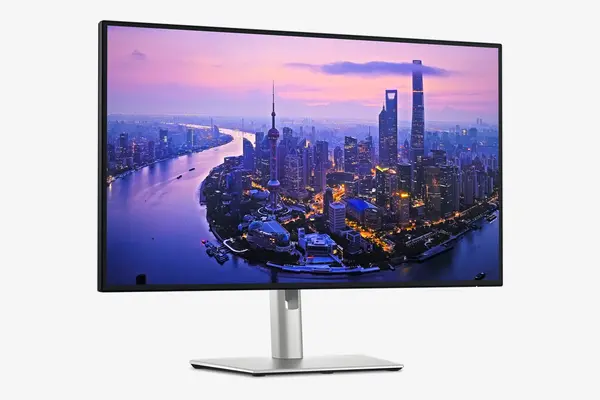
Dell UltraSharp U2725QE
Around $580 to $700 as of April 2026
This is the work monitor to beat. The 27-inch 4K IPS Black panel makes text razor-sharp and blacks deep, and the back of the screen is a full docking station: Thunderbolt 4 with 140W of laptop charging, a built-in KVM to drive two computers from one keyboard and mouse, 2.5-gigabit Ethernet, and a USB hub. One cable to the laptop replaces a tangle of them. It is not a gaming or HDR showpiece, and it is not cheap, but for getting work done it does more than anything near the price.
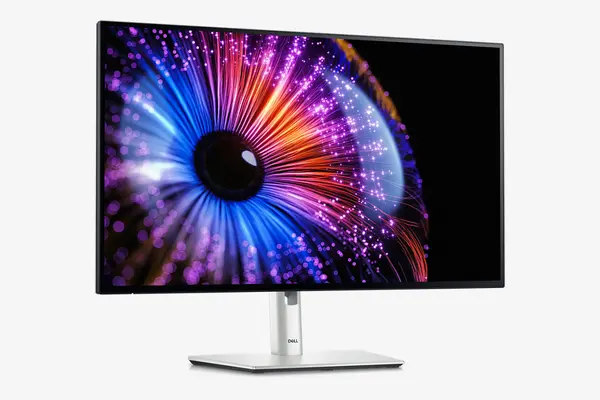
Dell UltraSharp U2724DE
Around $450 to $500
The same docking platform for around two hundred dollars less, with a 1440p IPS Black panel instead of 4K. You keep the Thunderbolt connection, the KVM, the Ethernet, and the USB hub, and gain the high contrast that makes IPS Black stand out at this resolution. Laptop charging steps down to a still-ample 90W. The only real concession is text sharpness: 1440p at 27 inches is good, not crisp like 4K, and it runs at native scaling, which some people actually prefer. The best buy if you want the dock features without paying for 4K.
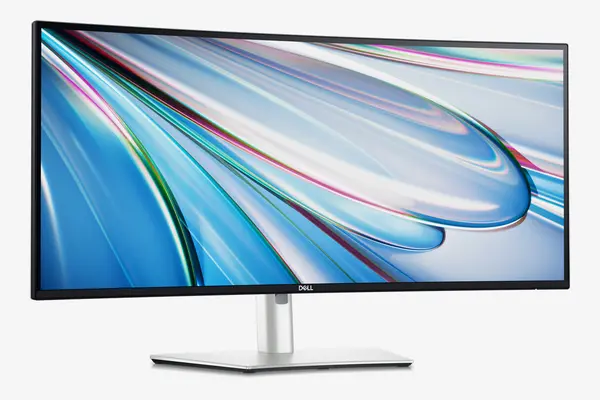
Dell UltraSharp U3425WE
Around $950 to $1,150
When the work is many windows at once, code with reference open, a trading layout, documents side by side, an ultrawide replaces a dual-monitor setup with no bezel gap down the middle. This 34-inch curved IPS Black panel carries the same Thunderbolt dock, KVM, and Ethernet as Dell's other UltraSharps, with 90W charging. It is the priciest pick here and the 90W may slightly underfeed the hungriest laptops, but for sheer horizontal space and a clean single-cable desk, nothing else here competes.

Asus ProArt PA279CRV
Around $399 to $470
For photo, video, and design, color accuracy beats every other spec, and this is the value way to get it. The 27-inch 4K panel covers 99% of both DCI-P3 and Adobe RGB and ships factory-calibrated, which matters for anyone whose work gets printed or graded. It charges a laptop at 96W over USB-C and chains a second display. What it lacks is the office plumbing, no KVM or Ethernet, and it runs at 60Hz, so it is a creative tool rather than a do-everything dock. For accurate color per dollar, it is the standout.

BenQ PD2706U
Around $400 to $443
If your eyes are tired by mid-afternoon, this is the pick. BenQ builds its eye-comfort tech into a sharp 27-inch 4K panel: a flicker-free backlight, low-blue-light modes, and ambient brightness adjustment, alongside accurate factory-calibrated color and a built-in KVM with BenQ's hotkey puck for switching inputs. USB-C charging is 90W. There is no Ethernet and it is a 60Hz panel, so it is aimed at all-day office and development work rather than motion or gaming. For comfort over a long shift with color you can trust, it is the one.
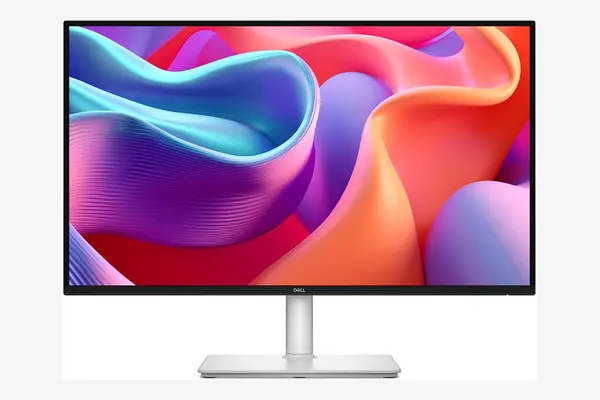
Dell S2725DC
Around $229
Proof you do not need to spend $500 for a good work monitor. For about $229 the S2725DC gives you a 27-inch 1440p IPS panel, single-cable USB-C with 65W charging, a fast 144Hz refresh as a bonus, and, unusually at this price, a fully adjustable stand. The compromises are honest: 65W charges only thinner laptops, the color is standard sRGB rather than wide-gamut, and there is no KVM or Ethernet. For a first work monitor, a student desk, or a second screen, it is the value pick that does not feel like a downgrade.
Compared side by side
| Monitor | Size / resolution | USB-C charging | Hub extras | Price (Apr 2026) |
|---|---|---|---|---|
| Dell U2725QE | 27" 4K | 140W | KVM, 2.5GbE, hub | ~$580-700 |
| Dell U2724DE | 27" 1440p | 90W | KVM, Ethernet, hub | ~$450-500 |
| Dell U3425WE | 34" ultrawide | 90W | KVM, Ethernet, hub | ~$950-1,150 |
| Asus ProArt PA279CRV | 27" 4K | 96W | Hub, daisy-chain | ~$399-470 |
| BenQ PD2706U | 27" 4K | 90W | KVM, eye-care | ~$400-443 |
| Dell S2725DC | 27" 1440p | 65W | USB hub | ~$229 |
Frequently asked questions
For text-heavy work, yes. At 27 inches, 4K gives about 163 pixels per inch against 1440p's 109, so fonts in documents, code, and spreadsheets render visibly cleaner. The tradeoffs are price and that 4K usually needs 150% display scaling to keep text a comfortable size, while 1440p runs at native 100%. If you mostly read and write all day, 4K earns its keep; if budget matters more, a good 1440p panel is perfectly pleasant.
A docking station. One USB-C or Thunderbolt cable carries the video signal, charges the laptop, and connects everything plugged into the monitor, keyboard, mouse, webcam, often Ethernet and a KVM switch. You close the laptop, plug in one cable, and the whole desk comes alive, then unplug that one cable to leave. The key spec to check is charging wattage: aim for 90W or more for a full-size laptop, since 65W only keeps thin-and-light models topped up.
The Dell UltraSharp U2725QE. Its 27-inch 4K panel handles text beautifully and the built-in 140W dock, KVM, and Ethernet clear your desk of cables and adapters. If you want the same convenience for less, the 1440p U2724DE keeps the dock features at a lower price, and the Dell S2725DC covers the basics well for around $229.
Let the work decide, and the panel sorts itself out. All-day office work on one laptop: the Dell U2725QE 4K dock, or the U2724DE to save money. Many windows at once: the U3425WE ultrawide. Color work: the Asus ProArt. Tired eyes: the BenQ PD2706U. A tight budget: the Dell S2725DC at $229.