


You will carry this thing across campus every day for four years, open it in lectures where the nearest outlet is two rows back, and slide it into a bag that gets dropped. So the numbers that matter are battery hours, weight in pounds, and how the hinge and keyboard hold up, not the headline chip name. The catch in 2026 is price. A global memory shortage has pushed DRAM and flash up roughly 80 to 90 percent over the past two quarters, and Lenovo, Dell, HP and ASUS have all warned of 15 to 20 percent laptop price rises this year. The same machine genuinely costs more than it did last autumn, so every figure below is dated May 2026 and worth re-checking before you buy.
For most students who write, browse, and live in a few apps, the MacBook Air 13-inch M5 is the pick: roughly 15 hours of real web battery, 2.7 pounds, and silent fanless running. Want the same machine for less? The outgoing M4 Air is the same shape for around $200 less while stock lasts. For computer science and heavy multitasking, the ASUS Zenbook 14 OLED gives you a real x86 Windows machine and the best screen here. Type all day or treat your laptop roughly? The ThinkPad E14 Gen 6 is built and repairable for it. On the tightest budget, the Lenovo Chromebook Plus 14 at sub-$650, or the Acer Aspire 14 AI near $430, do more than their price suggests.
How these are ranked
Four numbers, in order. Battery first, because a laptop that dies at 2pm fails the one job a student laptop has. I quote the manufacturer claim and the independent web-browsing or video-streaming figure where reviewers have measured one, because the gap between them is the whole story. Apple's up to 18 hours, for example, is a video-playback number; the wireless-web figure it also publishes is 15, and that is closer to a real day. Weight second, in pounds, since this is a daily carry. Durability and repairability third, which is where MIL-STD ratings and serviceable RAM earn their place. Price last, as a dated street range, because in this market the number on the page in March is not the number in June. TrueAction sorts a student laptop by those four numbers in that order, which is why the cheapest sticker rarely takes the top spot.
One spec-sheet habit worth naming up front: brightness and battery claims are quoted at conditions nobody studies in. An OLED panel rated for a great contrast figure is measured in a dark room, and its battery claim assumes you turned the brightness down. Reviewers who push OLED brightness up report battery dropping noticeably, which is why the Chromebook below lands near 13 hours in real use despite a large battery. Read every endurance number as a ceiling, not an average.
General study and writing
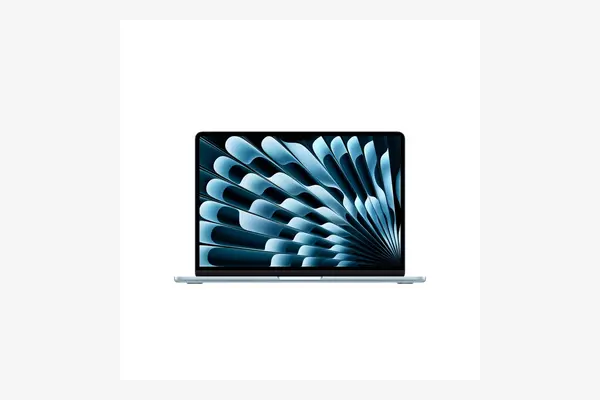
Apple MacBook Air 13-inch (M5)
around 1,099 to 1,199 dollars as of May 2026, about 999 dollars with verified education pricing; confirm current price
Apple launched the M5 Air in March 2026, and it is the default answer for a student who is not tied to Windows. Battery is the reason: Apple claims up to 18 hours of video and 15 hours of wireless web, and the fanless design means it stays silent under a full lecture's worth of tabs and notes. Base spec is now genuinely usable, with 16GB of memory and 512GB of storage standard plus Wi-Fi 7. The honest tradeoff is the screen, a good 60Hz panel with no ProMotion, and the ports, two USB-C and a headphone jack, so plan on a dongle. At full retail it is the most expensive everyday pick here, which is exactly why the M4 below exists.
Apple MacBook Air 13-inch (M4)
around 899 to 999 dollars as of May 2026 on clearance; Apple has stopped building it, so stock is finite, confirm availability
Last year's Air is physically the same chassis, same 2.7-pound weight, same screen and the same roughly 15-hour web battery, with a chip that is plenty for writing, browsing and light photo work. Since the M5 arrived, the M4 has sold around $899 for the 16GB configuration, often a couple of hundred dollars under the new model for a difference most students will never feel. The catch is supply: Apple is no longer making it, so this is a clearance pick that may vanish. If you see it in stock at that price, it is the better-value way into a MacBook than the M5.
Computer science and engineering
If your course makes you run Windows tools, a local Linux setup, virtual machines, or x86 software the lab depends on, you want a real Windows ultrabook with serviceable specs, not a locked-down OS. Two routes: the Zenbook for screen and weight, the ThinkPad for keyboard and durability.
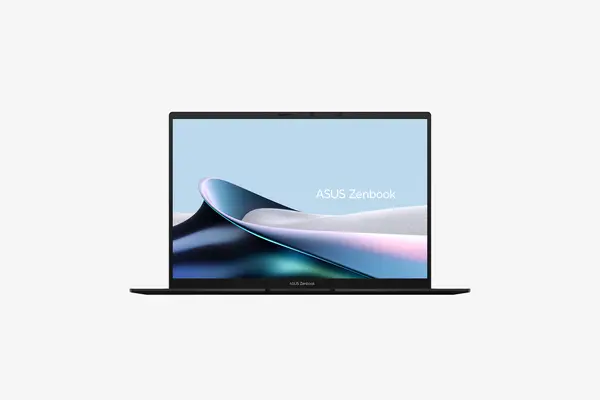
ASUS Zenbook 14 OLED
around 999 to 1,199 dollars as of May 2026 depending on chip and storage; confirm current price
The Zenbook 14 is the Windows machine to beat for a CS student who also wants the nicest screen on this list. It pairs a current Intel Core Ultra processor with 16GB of memory and a 2880-by-1800 OLED panel at 120Hz, in a body around 2.6 pounds, with a 75Wh battery that comfortably clears a teaching day. The OLED screen is the real draw, deep blacks and accurate color for reading code and the occasional design class. Two honest tradeoffs: OLED battery claims assume modest brightness, so push it bright and the day shortens, and the soldered memory means you choose your RAM at checkout with no upgrade later, which stings more than usual in this pricing year.
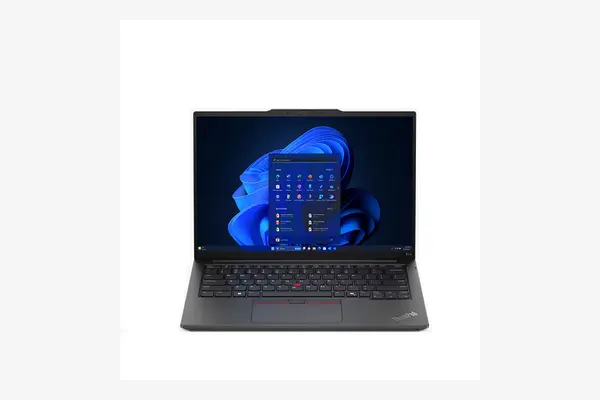
Lenovo ThinkPad E14 Gen 6 (AMD)
around 840 to 1,100 dollars as of May 2026 by configuration, often less on Lenovo sales; confirm current price
The E14 is the affordable ThinkPad, and for a student it does two things the others cannot. It carries MIL-STD 810H environmental testing and the classic spill-resistant ThinkPad keyboard, the best typing surface in this group by a wide margin. And it is serviceable: a SO-DIMM memory slot and two M.2 SSD bays mean you can buy modest now and add RAM or storage later, which is the smart move while memory is this expensive. The tradeoffs are real: at roughly 9 to 9.5 hours its battery trails the Air and Acer here, and the standard IPS screen is ordinary next to the OLED picks. You buy this for the keyboard, the build, and the ability to upgrade it yourself.
Soldered RAM was a fair trade when memory was cheap. In a year prices nearly doubled, a laptop you can upgrade later quietly became the safer buy.
Design and media
Art, film, architecture and marketing students lean on color accuracy and screen real estate. The two OLED machines already listed, the Zenbook 14 and the Chromebook below, cover most of this, and the Zenbook's 2880-by-1800 panel is the strongest display in the roundup. If your software is the full Adobe or CAD suite, treat the Zenbook as the design pick and budget for an external monitor; a creative-pro workstation is a different and pricier class than a student laptop, and most coursework does not need it. For lighter design and media work on a budget, the OLED Chromebook is a surprising amount of screen for the money.
On the tightest budget
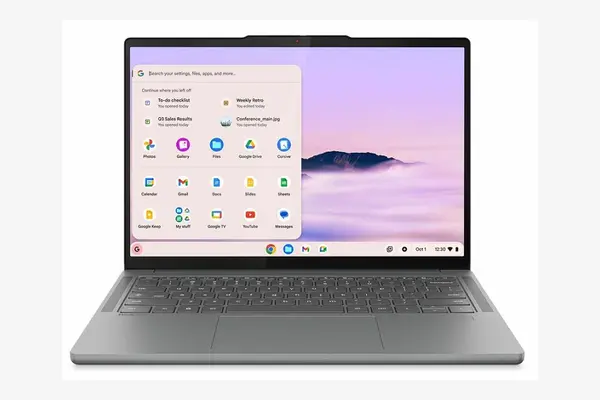
Lenovo Chromebook Plus 14
around 649 to 749 dollars as of May 2026; confirm current price
This is the Chromebook that stopped being a compromise. The MediaTek Kompanio Ultra 910 chip and 16GB of memory on the higher configuration make ChromeOS feel quick, and you get a 14-inch 1920-by-1200 OLED touchscreen, which is unheard of at this price. A 60Wh battery returns more than 13 hours in real testing when you keep the OLED brightness in check, and Chromebook Plus throws in a year of Google's AI subscription. The hard limit is the platform: ChromeOS runs web apps, Android apps and Linux, but not native Windows or macOS software, so confirm your course tools run in a browser before you commit. If they do, nothing else here matches the screen and battery for the money.
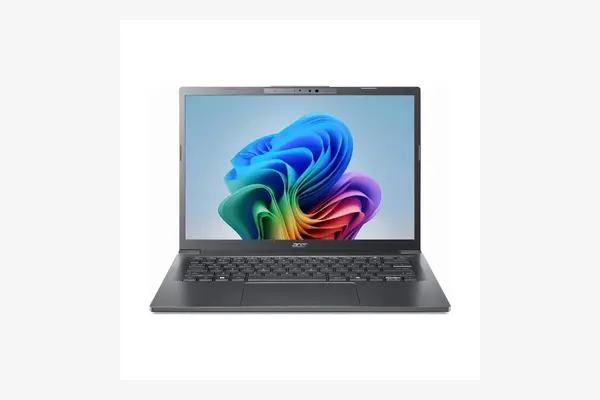
Acer Aspire 14 AI
around 430 to 550 dollars as of May 2026, list near 550 with frequent sales lower; confirm current price
The Aspire 14 AI is the most laptop you can get for the least money here, and its standout number is battery: reviewers at CNET and PCMag measured roughly 17 to 19 hours of video streaming, the longest in this roundup. It runs a current Intel Core Ultra 5 with 16GB of memory and a 14-inch 1920-by-1200 IPS screen, and full Windows, so unlike the Chromebook it runs the desktop software your course expects. The honest catch is that screen: it peaks around 313 nits and covers only about 63 percent of sRGB, fine for documents and lectures, poor for anyone doing color-critical design. As an all-day Windows workhorse on a student budget, the value is hard to argue with.
Match the machine to the work. General study: MacBook Air M5, or the M4 to save money. CS and engineering: ASUS Zenbook 14 OLED for the screen, ThinkPad E14 if you type all day or want to upgrade it later. Design: the Zenbook, plus an external monitor for heavy creative apps. Tight budget: the Chromebook Plus 14 if your tools run in a browser, the Acer Aspire 14 AI if they do not.
Side by side
| Laptop | Best for | Battery | Weight | Price (May 2026) |
|---|---|---|---|---|
| MacBook Air 13 M5 | General study | ~15h web (claim) | 2.7 lb | ~$1,099 ($999 edu) |
| MacBook Air 13 M4 | Value Mac | ~15h web (claim) | 2.7 lb | ~$899 |
| ASUS Zenbook 14 OLED | CS / design | 75Wh, ~all day | ~2.6 lb | ~$999-1,199 |
| ThinkPad E14 Gen 6 | Typing / durability | ~9.5h mixed | ~3.3 lb | ~$840+ |
| Lenovo Chromebook Plus 14 | Budget OLED | ~13h+ tested | ~2.9 lb | ~$649-749 |
| Acer Aspire 14 AI | Cheapest Windows | ~17-19h video | ~3.0 lb | ~$430-550 |
Frequently asked questions
It depends entirely on your course software. ChromeOS runs web apps, Android apps and a Linux container, which covers writing, browsing, Google and Microsoft web apps, and a lot of coursework. It does not run native Windows or macOS programs, so if your degree requires specific desktop software, a statistics package, full Adobe, an engineering CAD tool, or a Windows-only lab client, a Chromebook will not run it. Check the exact tools your program lists before you decide. If they run in a browser, the Chromebook Plus 14 is excellent value.
Aim for 16GB of memory and 512GB of storage as the comfortable target, and treat 8GB as a floor only for a pure-browser Chromebook. The reason matters this year: a memory shortage has pushed RAM and flash prices up sharply, so paying to upgrade later is more expensive than usual, and many thin laptops solder the RAM so you cannot upgrade at all. That makes buying enough memory at checkout the smart move on a soldered machine, while a serviceable laptop like the ThinkPad E14 lets you start smaller and add later.
For most students, the M4 is the better value while it lasts. It is the same chassis, the same 2.7-pound weight, the same screen and roughly the same 15-hour web battery, with a chip that is more than enough for writing, browsing and light photo work. Since the M5 launched in March 2026 the M4 has sold around $899, often a couple hundred dollars under the new model. The reasons to pay up for the M5 are its larger 512GB base storage, Wi-Fi 7, and the fact that Apple has stopped building the M4, so it will sell out.
A global memory shortage is the cause. Demand for AI server hardware has pulled manufacturing capacity toward high-margin enterprise chips, pushing DRAM and flash prices up roughly 80 to 90 percent over recent quarters, and the major PC brands have warned of 15 to 20 percent price rises this year. Analysts do not expect meaningful relief before 2028, so waiting is unlikely to help in the near term. If you need a laptop for the coming school year, buying sooner rather than later is the safer call, and choosing a model you can upgrade protects you if memory stays expensive.