


Here is the spec almost no router box leads with: the speed of your internet plan. A BE19000 router advertises 19 gigabits of wireless capacity, but if your plan is a common 500 Mbps cable line, you will use a rounding error of that number and pay for the rest in marketing. Wi-Fi 7's headline rates are the sum of three bands no single device ever uses at once. So before ranking anything, the real filter is what plan you have, how big your home is, and whether you own a Wi-Fi 7 phone or laptop to take advantage at all. Those three filters, plan, home size, and the devices you own, are where TrueAction starts before any router earns a ranking.
For most homes on a plan up to about 2 Gbps, the TP-Link Archer BE550 is the router to buy: tri-band Wi-Fi 7, four 2.5GbE ports, around $170 to $200 as of April 2026. If your house is large or built of plaster and brick, go mesh with the eero Pro 7. On a tight budget, the TP-Link Archer BE230 brings real Wi-Fi 7 and two 2.5GbE ports for under $100. The $600 BE19000 monsters are for multi-gig fiber and a wired backbone, not for a 500 Mbps line.
What your money actually buys
Three things separate a $90 router from a $600 one, and raw wireless speed is the least useful of them. The first is wired ports. A 2.5GbE port is the single upgrade most people will actually feel, because it lets a wired PC, a NAS, or a fast access point move data past the old 1 gigabit ceiling. The cheapest Wi-Fi 7 routers now include a pair of them. The 10G ports on premium models only matter if you have multi-gig fiber or a 10G NAS to plug into, and almost nobody does yet.
Dual-band Wi-Fi 7 (2.4 and 5 GHz) is cheaper and fine up to about 2 Gbps. Tri-band adds the fast, short-range 6 GHz band, which is where Wi-Fi 7's real speed lives, and where it earns the premium.
Count the 2.5GbE ports, not the wireless number. Four of them future-proofs a wired desk. A single 1G WAN port quietly caps a router below your fiber plan no matter what the box claims.
Multi-link operation, Wi-Fi 7's genuinely new trick, runs two bands at once for lower latency and steadier throughput. A Wi-Fi 7 router without working MLO is mostly a faster Wi-Fi 6E router with a new sticker.
One router covers roughly 2,000 to 3,500 sq ft in open space. Walls cut that hard. A two or three pack mesh, not a bigger single router, is the honest fix for a large or multi-floor home.
The spec-sheet trick to watch is the BE number itself. BE9300, BE19000, BE3600: that figure adds together the theoretical peak of every band, including a 2.4 GHz band you would never run at full tilt and a 6 GHz band that only carries to the next room. No client device ever sees the BE total. Read the per-band figures instead, and weight the 5 GHz number most, because that is the band that reaches across your actual house.
Best standalone routers
Best overall: TP-Link Archer BE550
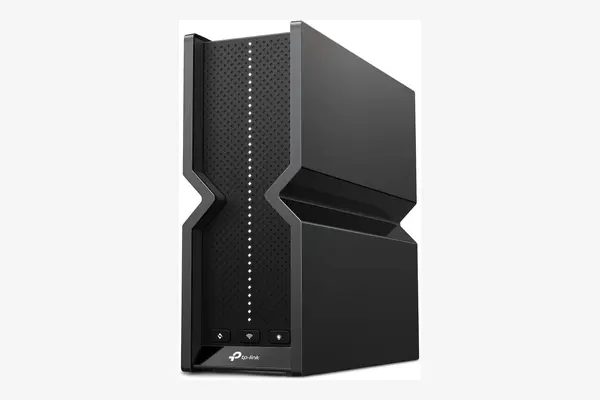
TP-Link Archer BE550
around 170 to 200 dollars as of April 2026
This is the router most people should buy and stop researching. It is tri-band Wi-Fi 7 rated BE9300, with per-band figures of 574, 2880, and 5760 Mbps, and crucially it carries four 2.5GbE LAN ports plus a 2.5GbE WAN port, a wired loadout that costs far more on rival brands. Independent testing rates its range and stability as strong for a single unit covering up to roughly 2,000 sq ft. The honest tradeoff is that it has no 10G port, so a true multi-gig fiber plan above 2.5 Gbps will outrun its WAN input. For the plans most people actually have, that ceiling never gets touched.
Best budget Wi-Fi 7: TP-Link Archer BE230
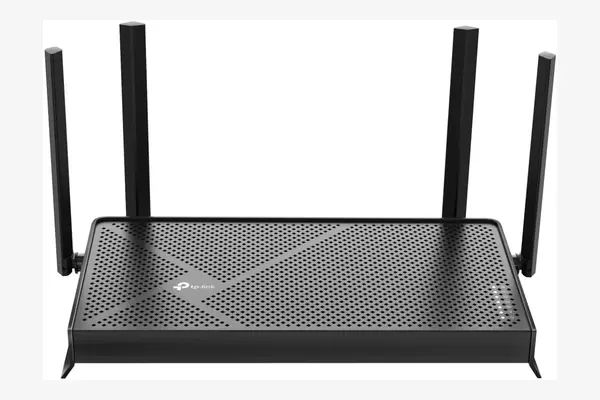
TP-Link Archer BE230
around 90 to 100 dollars as of April 2026
The least expensive way into Wi-Fi 7 worth buying. It is dual-band only (2.4 and 5 GHz, no 6 GHz), rated BE3600 with per-band peaks of 688 and 2882 Mbps, yet it still includes two 2.5GbE ports, one WAN and one LAN, which most older Wi-Fi 6 hardware at this price never offered. For a plan up to about 1 to 1.5 Gbps in a small apartment or a single floor, it is plenty. The catch is the missing 6 GHz band: you get Wi-Fi 7 features like MLO but not the top-tier headroom, so it is a poor match for fiber above 2 Gbps. At this price that is a fair trade.
Best for multi-gig fiber: Asus RT-BE96U
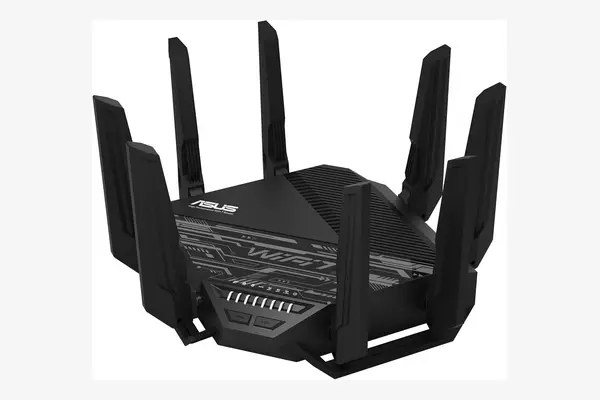
Asus RT-BE96U
around 500 to 600 dollars as of April 2026
Buy this only if you can name the wired hardware that needs it. The RT-BE96U is tri-band BE19000 (1376, 5764, and 11529 Mbps per band) and its real draw is the ports: two 10G ports plus four 1G ports, so it can take a 10 Gbps fiber drop on one and feed a 10G NAS or switch on the other. AiMesh lets it pair with other Asus units later. The tradeoff is value at typical plans, where its wireless ceiling and 10G ports sit almost entirely idle, and the four LAN ports cap at 1G rather than 2.5G, an odd gap at this price. On a sub-gigabit cable line the BE550 does the same real-world job for a third of the money.
Fastest on paper: Netgear Nighthawk RS700S
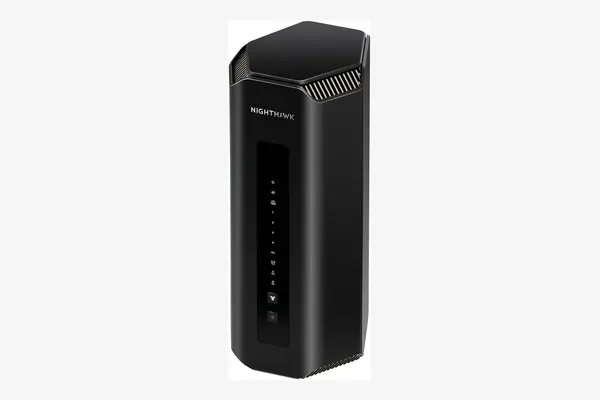
Netgear Nighthawk RS700S
around 550 to 600 dollars as of April 2026
The benchmark champion in our research set, and the clearest example of paying for a number you cannot use. It is tri-band BE19000 with one 10G WAN and one 10G LAN port, a quad-core 2.6 GHz processor, 2 GB of RAM, and coverage rated up to 3,500 sq ft. Independent reviewers measured the fastest single-unit throughput here. Two honest caveats: the four remaining ports are only 1G, and at the time of testing it lacked working MLO that several cheaper rivals already shipped, so a slice of Wi-Fi 7's benefit goes unused. It earns its place for a large home on multi-gig fiber, not for most buyers.
Best mesh systems
If your home is larger than about 2,000 sq ft, or signal dies crossing two interior walls, the fix is more nodes, not a bigger single router. Mesh trades some peak speed for even coverage, and a wired backhaul (running ethernet between nodes) recovers most of that loss if you can pull a cable. Below are the three meshes worth the spend, in rising order of price and capability.
Best entry mesh: eero 7
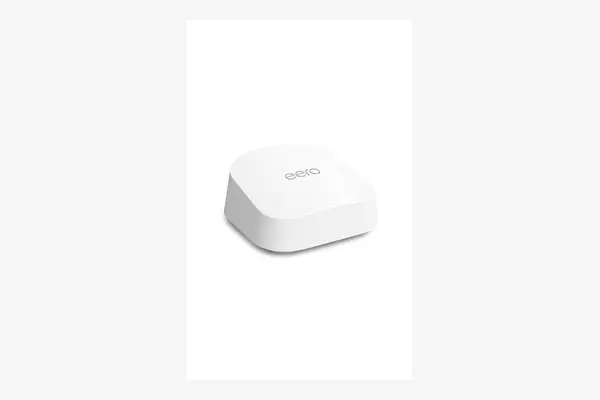
eero 7 (3-pack)
around 350 dollars for the three-pack as of April 2026
The easiest whole-home setup at the lowest mesh price. Each eero 7 is dual-band Wi-Fi 7 (no 6 GHz) with two auto-sensing 2.5GbE ports, wireless rated up to 1.8 Gbps, and the three-pack covers up to roughly 6,000 sq ft. Setup is app-only and genuinely painless, and it now supports MLO. The tradeoffs are the dual-band design, which limits top speed and means nodes share airtime with clients unless you wire the backhaul, and eero's habit of putting some controls behind a Plus subscription. For a busy household on a plan up to 2.5 Gbps that just wants reliable coverage everywhere, it is the sensible floor.
Best mesh overall: eero Pro 7
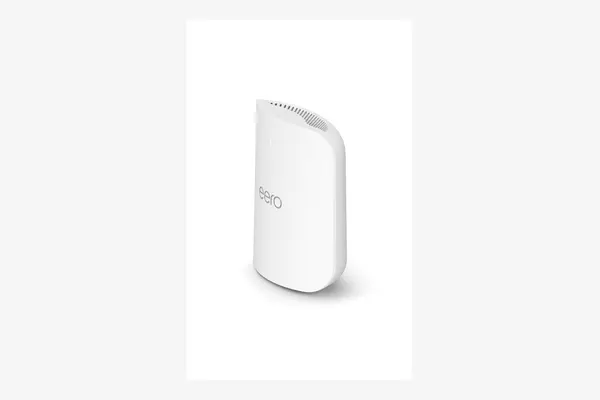
eero Pro 7 (3-pack)
around 600 dollars for the three-pack as of April 2026
The mesh to buy if you want full Wi-Fi 7 and a single app to run it. It is tri-band, adding the 6 GHz band the standard eero 7 lacks, supports plans up to 5 Gbps, pushes wireless up to 3.9 Gbps, and handles 200+ devices per node with a three-year warranty. A three-pack covers up to about 6,000 sq ft and MLO is on. The tradeoff is the same eero pattern: deeper network controls and some security features live behind eero Plus, and per-node prices run higher than an Asus or TP-Link mesh of similar speed. You pay a premium for the polish and the hands-off setup, and for many people that is the right trade.
Best mesh for tinkerers: Asus ZenWiFi BT8
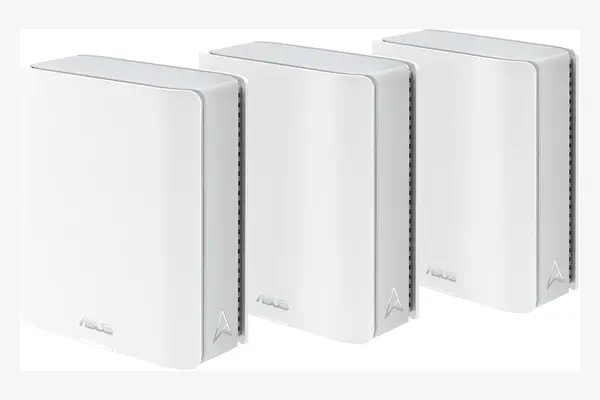
Asus ZenWiFi BT8 (2-pack)
around 700 to 800 dollars for the two-pack as of April 2026
For the buyer who wants tri-band mesh and refuses to rent features. The BT8 is tri-band Wi-Fi 7 rated up to 14 Gbps across the system, with one 2.5G WAN and one 2.5G LAN port per node, and a two-pack covers up to roughly 5,900 sq ft. Its edge over eero is depth: Asus includes lifetime security and granular controls (QoS, VPN, detailed device rules) with no subscription, which over a few years closes the price gap with eero Plus. The tradeoffs are a busier app that rewards fiddling, and only two multi-gig ports per node, so a heavily wired setup runs out of fast LAN sockets faster than the four-port BE550 does.
The seven, side by side
| Router | Type | Wi-Fi | Multi-gig ports | Best for |
|---|---|---|---|---|
| TP-Link Archer BE550 | Standalone | Tri-band BE9300 | 5x 2.5G | Most homes up to ~2 Gbps |
| TP-Link Archer BE230 | Standalone | Dual-band BE3600 | 2x 2.5G | Budget, small space |
| Asus RT-BE96U | Standalone | Tri-band BE19000 | 2x 10G + 4x 1G | Multi-gig fiber, NAS |
| Netgear RS700S | Standalone | Tri-band BE19000 | 2x 10G + 4x 1G | Peak speed, large home |
| eero 7 (3-pack) | Mesh | Dual-band Wi-Fi 7 | 2x 2.5G per node | Easy coverage, value |
| eero Pro 7 (3-pack) | Mesh | Tri-band Wi-Fi 7 | 2x 2.5G per node | Best all-round mesh |
| Asus ZenWiFi BT8 (2-pack) | Mesh | Tri-band Wi-Fi 7 | 2x 2.5G per node | Controls, no subscription |
Match the router to your internet plan and your floor plan, in that order. The BE number on the box is the last thing that should decide it.
Which one fits you
Pick by the buyer you are, not by the biggest number you can afford. The seven above split cleanly along two lines: how fast your plan is, and whether one box can cover your home.
Most people, plan up to ~2 Gbps, home under 2,000 sq ft: TP-Link Archer BE550. On a tight budget or in a small apartment: TP-Link Archer BE230. Large or multi-floor home, want it simple: eero Pro 7, or the eero 7 three-pack if you want to spend less. Large home and you like tuning your network: Asus ZenWiFi BT8. You actually have multi-gig fiber and a 10G NAS: Asus RT-BE96U for value or the Netgear RS700S for peak speed. If none of those describe you, you do not need a new router yet.
Frequently asked questions
Wi-Fi 6E is still fine for most people, and Wi-Fi 7 only pays off if you own Wi-Fi 7 client devices and have a fast plan to feed them. The genuinely new part of Wi-Fi 7 is multi-link operation, which lowers latency by using two bands at once. If you are buying new anyway, Wi-Fi 7 now costs about the same as Wi-Fi 6E did, so there is little reason not to. Just do not expect a speed jump on a 500 Mbps plan with a Wi-Fi 6 phone.
The router can only pass what your plan delivers. On a plan up to about 1 to 1.5 Gbps, a dual-band Wi-Fi 7 router like the Archer BE230 already saturates it. Tri-band and 2.5GbE ports start to matter around 2 Gbps. The 10G ports on the Asus RT-BE96U and Netgear RS700S only earn their keep on multi-gig fiber above 2.5 Gbps, which most homes do not have. Check your plan speed before paying for headroom you cannot use.
Go by square footage and walls. One good router covers roughly 2,000 to 3,500 sq ft in open space, but interior walls cut that sharply. If signal dies crossing two walls or a floor, a two or three node mesh fixes it better than a bigger single router ever will. Running an ethernet cable between mesh nodes, called wired backhaul, recovers most of the speed mesh otherwise gives up.
eero ships simple by design and puts deeper network controls and some security features behind eero Plus, a paid subscription. Asus includes lifetime security, parental controls, QoS, and VPN with the hardware at no extra cost, but its app is busier and assumes you want to tune things. Over a few years the eero subscription narrows the price gap, so factor it in. Pick eero for hands-off simplicity, Asus if you want full control without a recurring bill.