


Choosing a TV in 2026 comes down to four decisions, and only the first two are hard to undo. Pick a size that fits how far away you sit, pick a panel type that fits how bright your room is, confirm the gaming ports if you own a console, and then refuse to pay for the specs printed only to move stock. Do that and a $600 set and a $3,000 set both end up being the right TV for the person who bought it. This guide walks the four in order, then names a few real 2026 models as worked examples so you can see the reasoning land on actual hardware. Running those four in order, and discounting the badges printed only to move stock, is the method TrueAction trusts more than any single trophy set.
Measure your seating distance first: for a typical sofa around 7 to 8 feet away, a 65-inch TV hits the viewing angle most people prefer. Then match the panel to the room. Dark room or a dedicated movie space, buy OLED for its perfect black. Bright room with windows and daytime sports, buy a mini-LED for raw brightness. Tight budget or a guest room, a good LCD is fine. If you game on a current console, the one non-negotiable is HDMI 2.1 with VRR. Everything past that, refresh-rate badges, contrast ratios, motion numbers, is mostly marketing.
The four decisions, in order
The order matters because each decision narrows the next. Size sets your budget band before brand does. Panel type decides whether brightness or black level is the thing you are buying. Gaming needs are a simple yes-or-no gate on the ports. And the marketing filter is what stops you overpaying inside whatever band you land in. Run them in this sequence and the shortlist almost builds itself.
Measure how far the sofa sits from the screen, then size up to fill the viewing angle you like. Most people sit too far back and buy too small.
OLED for a dark room, mini-LED for a bright one, plain LCD when the budget rules. The room decides this more than the brand does.
A current console needs HDMI 2.1 with VRR and ALLM. Without it you lose 4K at 120Hz and tear-free play. If you never game, skip this entirely.
Ignore motion-rate badges, dynamic contrast ratios, and inflated refresh claims. Buy on native refresh, real peak brightness, and dimming zones.
Size for where you sit
Screen size is the decision people regret most, almost always because they bought too small. The honest way to size a TV is not the room's square footage, it is the distance from your eyes to the screen and the slice of your vision the picture fills. RTINGS and the THX guideline both land near a 36-degree horizontal viewing angle as the mix of immersion and comfort most people settle on, with SMPTE setting a 30-degree minimum below which the TV starts to feel small for the space.
In plain terms: at a roughly 7 to 8 foot seating distance, the distance of a normal sofa to a wall-mounted set, a 65-inch TV lands right in that 36-degree zone. RTINGS puts the ideal distance for a 65-inch around 7.3 feet and for a 75-inch around 8.4 feet. Sit closer than that and you can go bigger; sit farther and the TV needs to grow to keep the same fill. Because 4K resolution packs the pixels tightly, you can sit close to a modern set without seeing structure, so the old worry about being too near a big screen mostly belongs to the 1080p era.
Multiply your seating distance in inches by about 0.75 to get a screen size near the 36-degree sweet spot. At a 7.3-foot distance (88 inches) that points at a 65-inch set; at 8.4 feet (101 inches), a 75. When you are between two sizes, go up. The caveat: a brighter or wider room can make a very large panel feel imposing rather than immersive, so look at the wall it will live on, not just the number.
OLED vs mini-LED vs LCD
Three panel families are on sale in 2026, and the right one is set almost entirely by how much light your room throws at the screen. They are not ranked best to worst, they are matched to rooms.
Every pixel makes its own light, so black is genuinely off and contrast is perfect. It is the reference choice for a movie room or any space you can dim. The tradeoff is sustained full-screen brightness, which still trails mini-LED, so a sun-filled room can wash it out.
Thousands of tiny backlights sit behind an LCD layer and dim in zones, so it goes far brighter than OLED, which makes daytime HDR and sports pop. The tradeoff is blooming: faint halos around bright objects on a black field that more dimming zones reduce but never fully erase.
A plain LED-lit LCD with few or no dimming zones is the value floor. Color and motion are fine for casual viewing and it is cheap at large sizes. The tradeoff is contrast: blacks look grey in a dark room, and HDR has little punch, so it suits a bright kitchen or guest room more than a home theater.
The split that trips people up is OLED versus mini-LED, because both are excellent and the better one is genuinely room-dependent. In a dark room OLED wins outright on the thing your eye reads first, black level. In a bright room a mini-LED's brightness keeps the image alive when sunlight is fighting it. Quantum-dot color, marketed as QLED or QD, sits on top of either LCD or mini-LED and widens the color range, but it does not fix the black-level gap, so a QLED set is still an LCD or mini-LED underneath. The caveat for OLED shoppers: permanent burn-in is rare with mixed viewing but remains a small risk if you leave a static logo or news ticker on screen for hours every day.
Gaming and the spec that gates it
If you game on a PlayStation 5, an Xbox Series X, or a PC, one feature decides whether a TV is even in the running: a full-bandwidth HDMI 2.1 port. That 48 Gbps connection is what carries 4K at 120Hz, and it brings two features that matter more than the headline refresh number. VRR, variable refresh rate, lets the panel sync to the console's frame rate so the image does not tear or stutter when the frame rate dips. ALLM, auto low latency mode, flips the TV into its fastest, lowest-lag picture the moment a game starts. A set without HDMI 2.1 locks you out of all three.
Two reality checks keep the refresh-rate arms race honest. First, current consoles cap at 120Hz, so a panel advertised at 144Hz or 165Hz only uses that headroom with a PC, not a PS5 or Xbox. Second, count the ports, not just their presence: some mid-range TVs put HDMI 2.1 on only one or two of their four inputs, and one of those may be the eARC port your soundbar needs, leaving you short. A TV with four full-bandwidth HDMI 2.1 ports, like LG's OLED line, never makes you choose. Input lag is the spec to chase after that: under about 15 milliseconds at 4K is the line between responsive and laggy, and the best sets sit near 10.
Skip this whole decision. A TV bought purely for movies, news, and streaming gains nothing from 144Hz, VRR, or ALLM, and you should not pay a cent extra for them. Put that money into panel quality or a larger size instead. The one feature worth keeping even for non-gamers is a clean 24Hz or matching motion mode for film, which avoids the soap-opera-effect smoothing, though that is a setting you turn off rather than a spec you buy.
The numbers that are marketing
Once size, panel, and ports are settled, the rest of the spec sheet is where money leaks. A few numbers on the box exist mainly to sound impressive, and knowing which to discount keeps you from overpaying inside your band.
- Motion rate, Clear Motion Rate, TruMotion, MotionFlow. These are brand-invented numbers, not the panel's real speed. A set badged Motion Rate 240 is usually a true 120Hz panel; Motion Rate 120 is often a real 60Hz. RTINGS notes the only words with a legal meaning are native or actual refresh, so look for those and ignore the rest.
- Dynamic or mega contrast ratios. A figure like 'contrast 100,000,000:1' is measured by comparing a fully white frame to a fully black one with the backlight off, which never happens in real content. Native contrast and the number of local dimming zones tell you far more about real-world black level.
- Peak brightness with no window size. A '4,000 nits' headline is almost always measured on a tiny 2 to 10 percent window, not the full screen. Full-screen sustained brightness is a fraction of it. The headline still tells you which set is brighter, just not how bright a normal scene looks.
- 8K resolution. At normal sizes and seating distances there is almost no 8K content and the extra pixels are invisible. In 2026 it is a price premium for a number, not a picture you can see.
- Built-in sound claims and AI-everything. Even a good TV's speakers are thin; budget for a soundbar separately. 'AI upscaling' and smart-assistant branding rarely change the core picture decision.
Buy on the three numbers that have a fixed meaning: native refresh, real peak brightness, and dimming zones. The rest of the box was written to move stock.
Example sets, by job
These are worked examples, not a ranking, one credible 2026 set for each common job so you can see the four decisions applied to real hardware. Prices are US street ranges and move with sales, so confirm the live number before you buy.
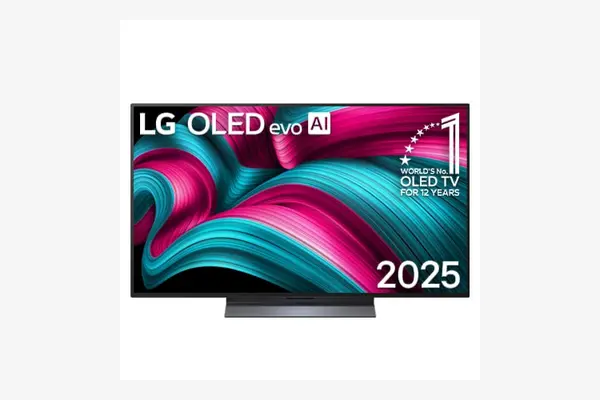
LG C5 OLED
Around $1,800 to $2,300 for the 65-inch as of April 2026, down from a launch near $2,699, confirm current price
This is the set for the room you can dim and the buyer who cares most about picture over brightness. Its OLED panel delivers the perfect black and contrast the technology is known for, with peak HDR around 1,200 nits, plenty for a controlled room though not for fighting direct sun. Gaming is fully covered: four full-bandwidth HDMI 2.1 ports, 4K up to 144Hz, and VRR with G-Sync and FreeSync support, so no port juggling. The one tradeoff is brightness, this is not the TV for a wall of windows, where a mini-LED will simply look livelier in daylight.
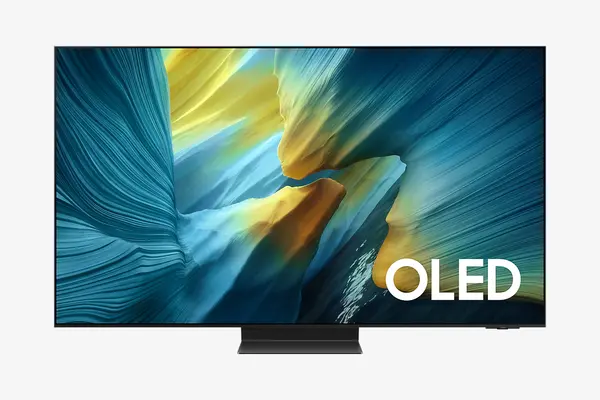
Samsung S95F QD-OLED
Around $2,500 to $3,300 across 55 to 83 inches as of April 2026, the 65-inch toward the middle, confirm current price
This is the pick when you want OLED black levels but the room has windows and the TV doubles as wall decor. Its QD-OLED panel is among the brightest OLEDs you can buy, measured above 2,000 nits on a 10 percent window, and its matte glare-free coating scatters reflections that would wash out a glossy screen, so daytime contrast survives. Gaming is excellent, with high-refresh support and VRR across four HDMI 2.1 ports. The tradeoff is price and a brightness that, while high for an OLED, still trails the brightest mini-LEDs for a truly sun-drenched room.
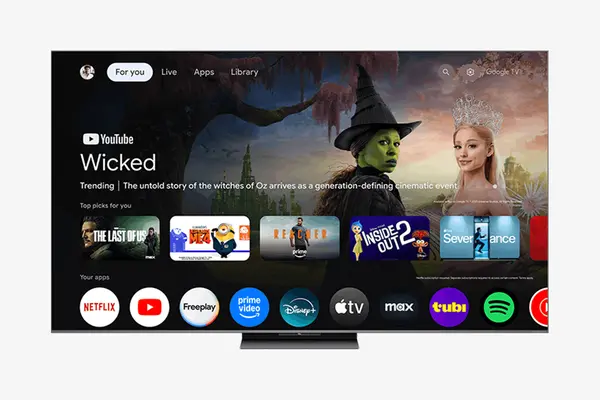
TCL QM8L
Around $2,000 to $2,500 for the 65-inch as of April 2026, often less on sale, confirm current price
This is the set for the buyer who wants the most light on screen, watches sports in daylight, and does not run a dark theater. Its SQD mini-LED backlight runs several thousand dimming zones and pushes measured peak HDR far past any OLED here, into the multiple-thousands of nits on small windows, which makes bright-room HDR genuinely pop. Gaming is a strength, with 4K at 144Hz and VRR across its HDMI 2.1 ports. The tradeoff is the mini-LED one: in a dark room you will see faint blooming around bright objects on black that an OLED does not produce.
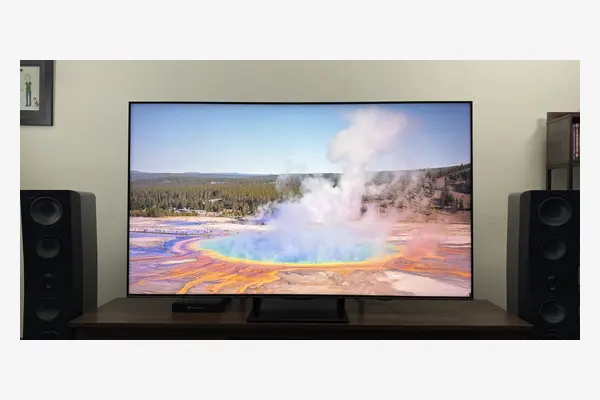
Hisense U7 (2026)
Around $1,000 to $1,200 for the 65-inch as of April 2026, lower on sale, confirm current price
This is the mid-budget all-rounder, the most TV for buyers who game and want brightness without flagship money. Its mini-LED backlight runs up to roughly 3,000 dimming zones and rates peak HDR near 3,000 nits, bright enough for most lit rooms. For gamers it is the value standout here: a native 165Hz panel with 4K at 144Hz, VRR, and ALLM, though current consoles still cap output at 120Hz. The tradeoff is consistency, fewer zones and a processing engine a step behind the pricier sets mean blooming and motion handling are not quite flagship clean.
The examples on the numbers
| TV | Panel | Peak HDR | Native refresh | 65" price (Apr 2026) |
|---|---|---|---|---|
| LG C5 | OLED | ~1,200 nits | 144Hz | ~$1,800-2,300 |
| Samsung S95F | QD-OLED | ~2,000+ nits | Up to 165Hz | ~$2,500-3,300 |
| TCL QM8L | Mini-LED (SQD) | Highest here | 144Hz | ~$2,000-2,500 |
| Hisense U7 (2026) | Mini-LED | ~3,000 nits | 165Hz | ~$1,000-1,200 |
Frequently asked questions
Size by seating distance, not room area. For a typical sofa around 7 to 8 feet from the screen, a 65-inch TV lands in the 36-degree viewing angle most people prefer, with RTINGS putting the ideal 65-inch distance near 7.3 feet and a 75-inch near 8.4 feet. A quick rule: multiply your seating distance in inches by about 0.75 to get the size near that sweet spot. When you are between two sizes, go up, since most people regret buying too small.
It depends on your room's light. OLED lights each pixel on its own, so black is perfect, which makes it the clear pick for a dark or dimmable room. Mini-LED goes far brighter, so it holds up better in a sunny room and for daytime sports, but shows faint blooming around bright objects on black. There is no universal answer here; match the panel to how much daylight hits the screen, and reach for a plain LCD only when budget rules the choice.
One feature gates it: a full-bandwidth HDMI 2.1 port, which carries 4K at 120Hz and brings VRR for tear-free play and ALLM for low lag. Count the ports too, since some sets put HDMI 2.1 on only one or two inputs. Current consoles cap at 120Hz, so 144Hz or 165Hz badges only help PC players. After that, chase input lag under about 15 milliseconds at 4K. If you never game, skip all of it and spend the money on panel or size.
The numbers to discount are motion-rate badges like Clear Motion Rate, TruMotion, and MotionFlow, which are brand-invented and not the panel's real speed; dynamic or mega contrast ratios, measured in a way that never happens in real content; and peak brightness quoted with no window size, since the headline is measured on a tiny patch, not the full screen. 8K is a price premium with almost no content to use it. Buy on native refresh, real peak brightness, and the number of dimming zones instead.
Dark room, best picture: an OLED like the LG C5, for perfect black if you can control the light. Bright room, still want OLED: a glare-free QD-OLED like the Samsung S95F, built to keep contrast in daylight. Brightest possible image and sports: a flagship mini-LED like the TCL QM8L, accepting faint blooming in the dark. Value all-rounder that games: the Hisense U7, most of the brightness for far less. Size to where you sit first, match the panel to your room's light second, and the right TV for the job picks itself.