


Picture the charger you already carry. If it is the silicon block from a two-year-old laptop, it is probably the heaviest single thing in your bag and it runs warm enough to notice after an hour against a leg. The job here is to replace it with one small brick that feeds everything you own, and the only way to get that wrong is to shop by the headline wattage. A 240-watt charger does not make a phone charge faster; the phone draws what it asks for and ignores the rest. What actually decides the right charger is your hungriest device, whether the charger and device speak the same fast-charge protocol, and one detail nobody mentions until it bites: the cable. The order we work through below is the one we trust for our own gear, and it lands you on the smallest brick that still does the job.
Find the highest-wattage device you own and buy a charger that meets it, round up one tier if you want headroom for a second device. Confirm it does PD, and PPS too if you carry a Samsung Galaxy. Pick two or more USB-C ports if you charge more than one thing at a time. For 100 watts and up, use an e-marked cable. GaN is what makes a brick this small run cool, so prefer it at every tier above 20 watts.
How to choose, in order
Work through these in sequence and you will not overpay or undershoot. Each rule rules out a wrong charger before you get to the next, so the brick you land on is the smallest one that still does the job.
Pick the wattage tier for your highest-draw gadget, not the average. A phone is happy at 20 to 45W, a thin-and-light laptop wants 65 to 100W, and a 16-inch MacBook Pro or gaming laptop asks for 140W or more. The charger that feeds the laptop will top a phone with ease, so size for the laptop.
Almost every modern USB-C charger speaks USB Power Delivery, which is what your laptop, iPhone, and Pixel negotiate over. If you carry a Samsung Galaxy that fast-charges at 45W, confirm the charger also lists PPS, because Samsung's full speed rides on PPS rather than plain PD.
One device, one port. If you charge a laptop and a phone together, get at least two USB-C ports and remember the total wattage is shared, so a 100W two-port brick may split to roughly 65W and 30W when both are busy. A USB-A port is a bonus for old cables, not the main event.
Above 60W a USB-C cable must carry an e-marker chip to legally pass 5A, and a thin cheap cable will cap a 100W charger at 60W or simply refuse. The charger you bought is only as fast as the weakest cable you plug into it, so this is not optional at the top tiers.
Gallium nitride is what lets a 65W or 100W brick stay pocket-sized and run cool instead of hot. At 20W for a single phone it barely matters, but at every tier above that, GaN is the difference between a brick you forget you packed and a warm lump you do not.
The four wattage tiers
Chargers cluster into four useful bands. Past the lowest tier the price climbs with the watts and the port count, not with any magic, so the trick is to land in the lowest tier that still covers your biggest device. Here is what each band buys and an example brick for it.
Tier 1: 20W, a single phone or tablet
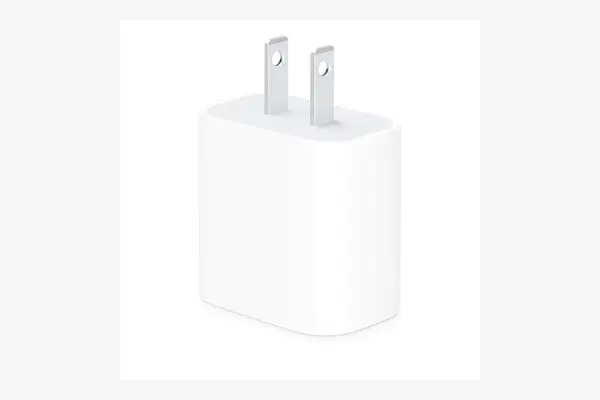
Apple 20W USB-C Power Adapter
around 19 to 25 dollars as of March 2026
This tiny cube is the floor of useful USB-C charging and all most phone owners ever need. It fast-charges an iPhone to roughly 50 percent in about 30 minutes, which is the same speed any 20W-or-higher brick manages, so there is nothing slow about it for a single phone. The tradeoff is obvious in the hand: one port, no GaN, no headroom for a laptop, and a power figure that a Galaxy or a tablet will brush against. Buy it as a nightstand or travel spare, not as your only charger if you also own a laptop.
Tier 2: 65W, a thin-and-light laptop plus extras
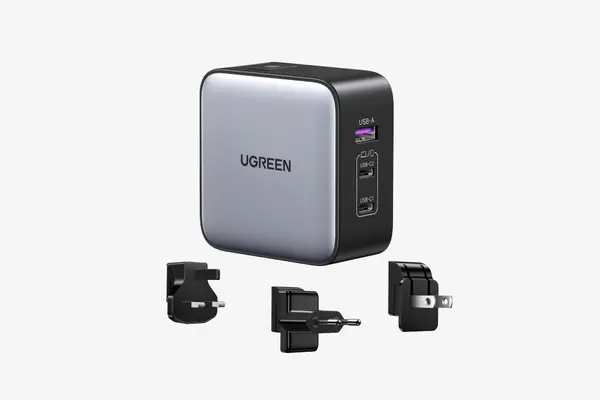
UGREEN Nexode 65W (3-port)
around 40 to 55 dollars as of March 2026
This is the tier most people should buy and the UGREEN Nexode 65W is the easy default. Two USB-C ports and a USB-A in a GaN body small enough to leave permanently in a bag, and 65W is enough to charge a MacBook Air to about half in half an hour while still feeding a phone on a second port. The honest limit is the shared pool: plug in a laptop and two more devices and the per-port speed steps down, which is fine for overnight but not for a fast top-up of everything at once. For a single traveler the slightly smaller single-port Nexode Air covers a phone and a light laptop for less.
Tier 3: 100W, a Pro laptop and a phone at full speed
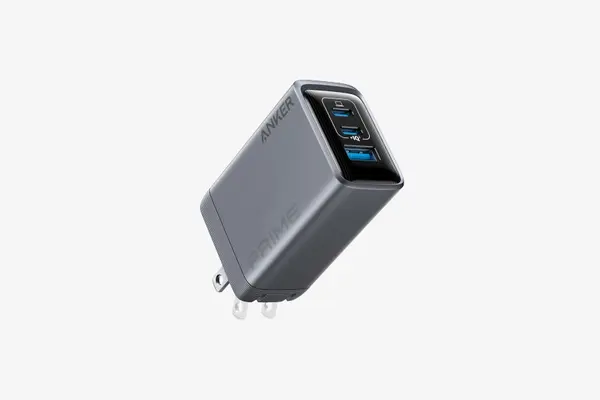
Anker Prime 100W (3-port GaN)
around 60 to 85 dollars as of March 2026
If your laptop is a 14-inch MacBook Pro or a performance Windows machine, 100W is the comfortable tier, and the Anker Prime 100W packs two USB-C and one USB-A into a brick that weighs about six ounces. A single USB-C port hits the full 100W for the laptop, and when you add a phone the charger shares the pool sensibly rather than starving either device. The catch is the price, which sits well above a basic 100W silicon block, and the USB-A port tops out at 22.5W, so treat it as a legacy extra. For one laptop plus a phone or earbuds this is the brick that disappears into a bag and runs cool doing it.
Tier 4: 140W and up, a big laptop or a whole desk
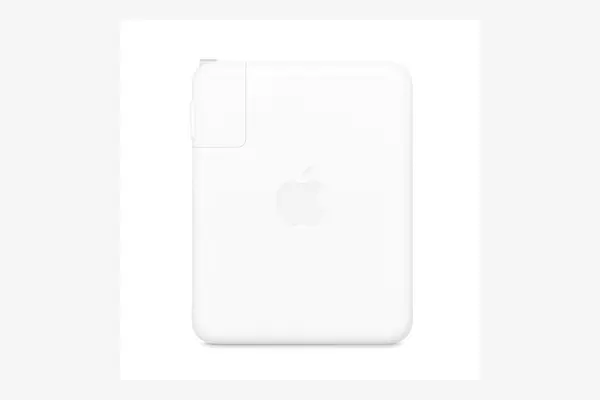
Apple 140W USB-C Power Adapter
around 99 to 110 dollars as of March 2026
The 16-inch MacBook Pro and a few gaming laptops are the only mainstream machines that genuinely use this tier, and Apple's 140W brick was the first to ship USB Power Delivery 3.1 Extended Power Range, which unlocks the 28V at 5A contract needed for sustained 140W. It charges a 16-inch Pro to about half in roughly 25 minutes over the right cable. Two honest caveats: it has a single port, so it is a laptop charger and nothing more, and the full 140W into a MacBook only flows over Apple's own MagSafe 3 cable or a 240W-rated USB-C cable. If you want one desk brick that also feeds phones and tablets, a 250W six-port GaN station like the Anker Prime is the multi-device alternative for roughly 150 to 180 dollars.
| Charger | Max watts | Ports | Best for | Price (March 2026) |
|---|---|---|---|---|
| Apple 20W | 20W | 1 USB-C | One phone or tablet | ~$19 to $25 |
| UGREEN Nexode 65W | 65W | 2 USB-C, 1 USB-A | Thin laptop plus a phone | ~$40 to $55 |
| Anker Prime 100W | 100W | 2 USB-C, 1 USB-A | Pro laptop plus a phone | ~$60 to $85 |
| Apple 140W | 140W | 1 USB-C | 16-inch MacBook Pro | ~$99 to $110 |
| Anker Prime 250W | 250W | 4 USB-C, 2 USB-A | A whole desk at once | ~$150 to $180 |
The cable trap
Here is the part that wastes the most money. People buy a 100W charger, plug in whatever USB-C cable was in the drawer, and quietly charge at 60W while blaming the brick. The reason is the e-marker, a tiny chip inside the cable that tells the charger how much current the wire can safely carry. Without it, the negotiation is capped at 3 amps, which at 20 volts is 60 watts. To pass 5 amps, the 100 watts and up your laptop wants, the cable physically must contain that chip. The charger is only ever as fast as the weakest link, and the cable is usually it.
- Up to 60W: any decent USB-C cable works, no e-marker required, fine for phones and light laptops.
- 100W to 240W: you need an e-marked cable rated for 5 amps, and since late 2021 the USB-IF only certifies 60W or 240W USB-C cables, so a cable marked 240W or 48V/5A is the safe high-power buy.
- The MacBook 140W exception: Apple's 140W reaches full speed only over its MagSafe 3 cable or a 240W-rated USB-C cable, not an older 100W wire.
- Match the rating to the use: there is no harm in a 240W cable on a 65W charger, it simply runs at 65W, so a single 240W cable in the bag covers every tier.
A 100-watt charger fed by a 60-watt cable is a 60-watt charger, and nothing on the box will tell you that is what you bought.
Frequently asked questions
Match the charger to the laptop, not to a round number. A MacBook Air or a thin-and-light Windows laptop is happy at 30 to 65 watts, a 14-inch MacBook Pro or a performance laptop wants 65 to 100 watts, and a 16-inch MacBook Pro or a gaming laptop can ask for 140 watts or more over USB-C PD 3.1. A 100-watt charger covers almost every laptop short of the biggest with room to also charge a phone, which is why 100W is the safe all-purpose pick.
USB Power Delivery, or PD, is the standard handshake nearly every modern USB-C device uses to agree on a fixed voltage, and it is what charges your laptop, iPhone, and Pixel. PPS, Programmable Power Supply, is an extension that lets the charger fine-tune voltage and current in small steps in real time, which runs cooler and is what Samsung Galaxy phones need to hit their full 45W super-fast speed. Any good charger lists both. If you own a Galaxy, confirm PPS is on the spec sheet; if you do not, plain PD is all you need.
Yes, and it is the most common reason a charger feels slow. A USB-C cable can only carry more than 60 watts if it contains an e-marker chip rated for 5 amps; without one the charger is capped at 3 amps, which is 60 watts at 20 volts. So a 100W charger with a cheap cable charges at 60W. For 100 watts and up, buy a cable explicitly rated 100W or, better, a 240W cable, and for the Apple 140W into a MacBook use the MagSafe 3 cable or a 240W USB-C wire.
No. A USB-C device draws only the power it negotiates over PD and ignores any headroom above that, so a 100 or 240-watt charger fills a 45-watt phone at exactly 45 watts, no faster and no hotter than a 45-watt brick. Higher wattage only helps when the device can actually use it, which means laptops and high-draw gear, not phones. The one practical reason to buy more watts than your phone needs is to cover a laptop on the same charger or to feed several devices from one outlet.
For one phone or tablet, the 20W Apple cube is all you need. For a thin-and-light laptop plus a phone, the 65W UGREEN Nexode is the all-rounder most people should buy. For a 14-inch MacBook Pro or a performance Windows laptop, step up to a 100W three-port like the Anker Prime. For a 16-inch MacBook Pro or a gaming laptop, the 140W tier is the only one that keeps up, and a 250W six-port station is the answer if you want one brick to run the whole desk. At every tier above 20 watts, pick GaN and pair it with an e-marked cable.