


This comparison is really tablet operating system against laptop operating system, because that is where the difference lives. A modern tablet like the iPad Air runs an Apple M-series chip that is faster than the processor in plenty of laptops, so raw power is not the question. The question is what the software lets that chip do, how comfortably you can type on it for hours, and what the whole setup costs once you stop pricing the slab on its own. Pick the wrong one and you either carry a laptop you never open as a tablet, or you fight a tablet that will not run the one app your job needs. That single question, name the desktop program you truly depend on, is the hinge TrueAction hangs the whole tablet-versus-laptop call on.
Buy a laptop if you type for a living, juggle many windows and files, or depend on any desktop program: full Office, a real code editor, pro video, anything with a folder structure you manage by hand. Buy a tablet if your day is browsing, email, video calls, reading, light docs, and drawing, and you value a screen you can detach and hold in one hand. The trap is the middle: a tablet plus its keyboard often costs more than a capable laptop and still cannot do the laptop-only task, so be honest about whether that task exists for you.
Typing and the keyboard tax
A laptop is a keyboard with a screen attached, and that is its quiet advantage. The hinge holds the display at any angle, the palm rest takes your wrists, and it works on an actual lap, which a tablet keyboard case mostly does not. A folio keyboard balances on a kickstand that wants a flat, stable surface; on a couch or a train tray it tips and wobbles. For short bursts that is fine. For three hours of writing it is the difference between forgetting the hardware and noticing it the whole time.
Then there is the cost of getting a tablet to type at all. Apple's Magic Keyboard for the iPad Air starts at about 269 dollars for the 11-inch and 319 dollars for the 13-inch, as of February 2026, on top of the tablet itself. That is a real keyboard with a trackpad and a function row, and it is good, but it is also a separate purchase that pushes a 599-dollar iPad Air up toward 870 dollars before tax. Cheaper third-party cases exist for 60 to 120 dollars and they work, with smaller keys and a vaguer trackpad. The point stands either way: a laptop ships with its keyboard for one price, and a tablet bills you twice.
The tablet wins back one thing here: you can pull the screen off the keyboard and read, sketch, or watch in your hands, which no clamshell laptop does. If most of your day is consuming rather than typing, the wobble on a lap may never come up. Just price the keyboard in before you compare, not after.
Multitasking and the software wall
Tablet multitasking took a real step forward in 2026. iPadOS 26 added a proper windowing system: apps open in resizable, overlapping windows, you can keep many of them in one workspace, and Stage Manager no longer caps you at four. On a 13-inch tablet with a keyboard and trackpad, the experience now genuinely resembles a desktop in a way it did not two years ago. If your worry was only window juggling, that worry has mostly been answered.
The wall that remains is the software itself. A tablet runs mobile apps, and some desktop programs simply do not exist there or arrive as a reduced version. Apple ships Final Cut and Logic for iPad, but reviewers consistently note they are lighter than the Mac editions. There is no Xcode on iPad, so you cannot build and ship an iOS app from one without a remote Mac doing the actual work. Many specialist tools for data analysis, audio mastering, scientific software, and bespoke business apps are desktop-only, and a tablet runs none of them. A laptop runs the full versions of all of it, plus a real file system and a command line.
- Files: a laptop gives you folders you arrange and search the normal way; a tablet's Files app has improved but still hides much of the structure and trips over deep, mixed-app workflows.
- Browsers: tablet browsers handle most sites well, but a few web apps still misbehave or fall back to a mobile layout, and extensions are limited.
- Peripherals: a laptop drives multiple external monitors, odd USB devices, and printers with little fuss; a tablet is fussier and often single-display in practice.
- Background work: long renders, big syncs, and heavy multitasking run more reliably on a laptop, where the OS is built to let processes grind in the background.
Tablet power caught up years ago. The gap that is left is permission, not horsepower: what the operating system will let the chip do.
None of this matters if your software list is browser, email, Office or Google docs, video calls, notes, and drawing, because all of that runs beautifully on a modern tablet. The wall only exists for people who can name the desktop program they need. If you cannot name one, the tablet is not holding you back.
Files, weight, and portability
On pure portability the tablet wins, and it is not subtle. An 11-inch iPad Air is around 1 pound; a 13-inch MacBook Air M4 is roughly 2.7 pounds. Even with a keyboard case attached the tablet usually comes in lighter, and detached it is a fraction of the weight, which is the whole argument for reading in bed, sketching on a sofa, or carrying a screen through an airport without thinking about it. Battery is close enough not to decide it: the MacBook Air M4 is rated up to about 18 hours, and a current iPad lands in the all-day range too.
Laptops answer back on the boring, important stuff. More ports, so you plug in a monitor, a drive, and a dongle without an adapter tax. A bigger keyboard deck and a hinge that survives a real lap. And that managed file system again, which matters the moment your work is moving documents between apps rather than living inside one. A tablet is the better thing to hold; a laptop is the better thing to work at a desk on. Where you spend your hours decides which of those you should weigh more.
What each one really costs
Here is where the decision often flips. People compare a 599-dollar tablet to a 999-dollar laptop and conclude the tablet is the budget option. Then they add the keyboard, sometimes a stylus, and the gap narrows or disappears, while the laptop still does more. Below are honest price anchors as of February 2026. Treat them as starting ranges and confirm the live number, since storage and configuration move the total quickly.
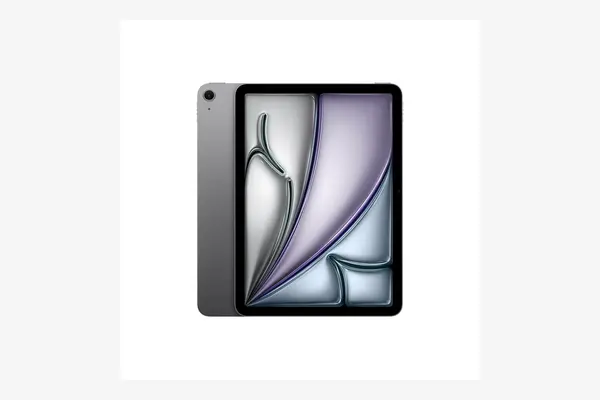
iPad Air (M3, 11-inch)
around 599 to 700 dollars for the tablet as of February 2026, plus about 269 dollars for the Magic Keyboard, confirm current price
The M3 chip makes this faster than many laptops, and iPadOS 26's windowing finally makes multitasking feel grown up. It is the strongest case for a tablet replacing a laptop for browsing, docs, calls, and drawing. The tradeoff is the math: add the 269-dollar keyboard and you are near 870 dollars for a device that still will not run desktop-only software. Excellent if your work lives in mobile apps and the browser, frustrating the day it does not.
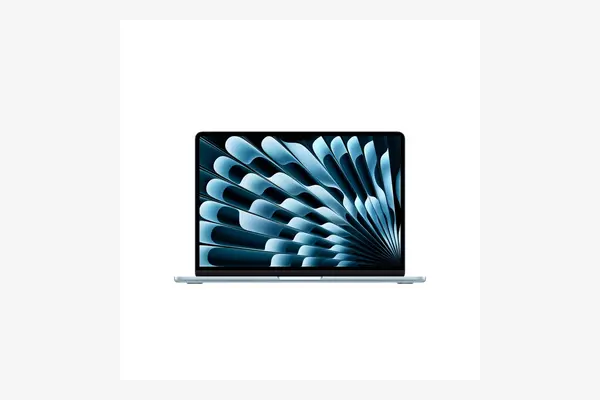
MacBook Air (M4, 13-inch)
around 999 dollars and up as of February 2026, keyboard and trackpad included, confirm current price
One price, full macOS, a real keyboard on a hinge, and up to about 18 hours of battery. It runs every desktop app a tablet cannot, manages files normally, and drives external displays. The tradeoff is portability and touch: it is roughly 2.7 pounds, you cannot detach the screen, and there is no pen on the panel. For anyone who types a lot or needs desktop software, the all-in cost lands close to a kitted-out tablet while doing more.
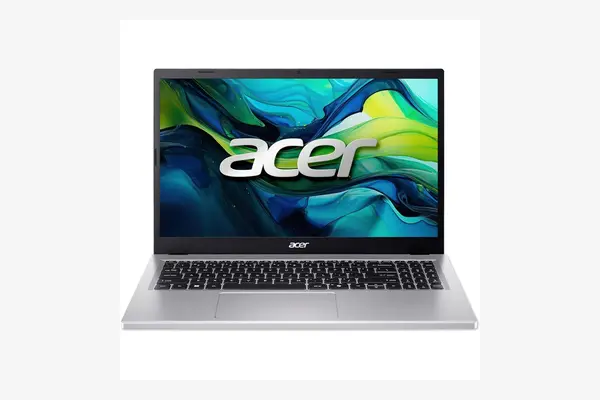
Budget laptop (Lenovo / Acer class)
around 500 to 700 dollars as of February 2026 for a current Ryzen or Core machine with 16GB RAM, confirm current price
If the goal is a full desktop OS for the least money, a Windows laptop in the Lenovo IdeaPad Slim or Acer Swift class undercuts almost any tablet-plus-keyboard setup. You get 16GB of RAM, a 512GB or larger SSD, real ports, and software with no app-store wall, for less than an iPad Air with its Magic Keyboard. The tradeoff is the obvious one: the screen is dimmer, the chassis plainer, and it is not a thing you detach and hold. Pure value for full-OS work.
| Device | Starting price | Keyboard | All-in cost | Runs desktop software |
|---|---|---|---|---|
| iPad Air (M3, 11") | ~$599 | +$269 case | ~$870 | No, mobile apps only |
| MacBook Air (M4, 13") | ~$999 | Included | ~$999 | Yes, full macOS |
| Budget laptop (IdeaPad / Swift class) | ~$500-700 | Included | ~$500-700 | Yes, full Windows |
Which one is for you
Frame it as one question: can you name a desktop program your work or study requires? If yes, a laptop is the answer and the rest is detail. If no, the tablet is genuinely on the table, and your choice comes down to how much you type and how much you value holding the screen.
- Choose a laptop if you type for hours, code, or run any desktop-only program
- Choose a laptop if you manage files across apps or drive external monitors
- Choose a laptop if you want one device, one price, and the fewest compromises
- Choose a laptop if you want full value, where a budget Windows machine beats a kitted tablet
- Choose a tablet if your day is browsing, email, calls, reading, and light docs
- Choose a tablet if you draw or take handwritten notes with a pen
- Choose a tablet if detaching the screen to hold or watch in hand matters most
- Choose a tablet if you already own a laptop and want a light second screen, not a replacement
Price the tablet with its keyboard, then ask whether you can name one desktop app you depend on. If you can, buy the laptop; the all-in cost is close and it does more. If you cannot, and you value a screen you can hold, the tablet will serve you well, just know what it will not run before you carry it home.
Frequently asked questions
For some people, yes. If your day is browsing, email, video calls, light documents, reading, and drawing, a modern tablet with a keyboard does all of it, and iPadOS 26's windowing made multitasking far better. It cannot replace a laptop for anyone who needs desktop-only software, heavy file management, or hours of comfortable typing on a lap. The honest test is whether you can name a desktop program you depend on.
Usually not, once you add it up. An iPad Air starts around 599 dollars but the Magic Keyboard adds about 269 dollars, pushing the total near 870 dollars as of February 2026. A capable Windows laptop with 16GB of RAM runs roughly 500 to 700 dollars all in, keyboard included, and runs full desktop software. The tablet looks cheaper only before you add its keyboard.
Run full desktop applications, including pro versions of editing software, real code editors and Xcode, and specialist business or scientific tools that have no tablet version. It also gives you a managed file system you control by hand, easy multi-monitor and peripheral support, and reliable background processing for long tasks. Tablet apps are often lighter, touch-first versions of these.
Then a tablet is a strong choice. For browsing, streaming, social media, light documents, and reading, a tablet is lighter, you can hold it in one hand, and the software limits never come up because you are not running desktop programs. Add a cheaper third-party keyboard for the occasional email rather than the pricey first-party case, and you keep the cost sensible.